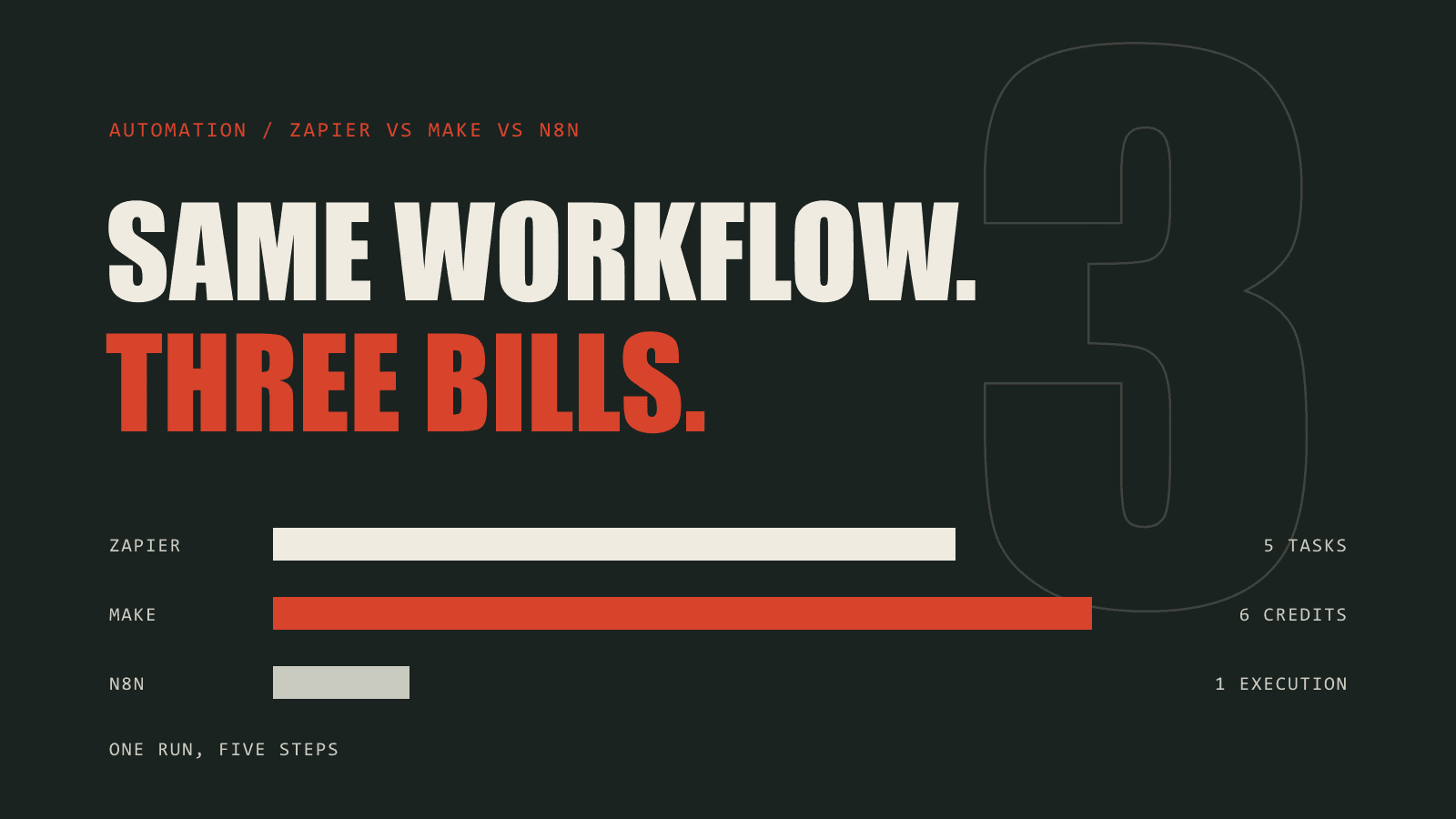
Zapier, Make and n8n all publish a pricing page, and none of the three can be compared with the others directly. Each one bills for a different thing. A plan with ten thousand Zapier tasks, one with ten thousand Make credits and one with ten thousand n8n executions are three very different sizes of plan.
This guide explains what each platform counts, works through the same workflows on all three, and shows where each one becomes the cheaper choice. To price your own workflow, use the free Zapier vs Make vs n8n cost calculator.
What Zapier, Make and n8n each charge for
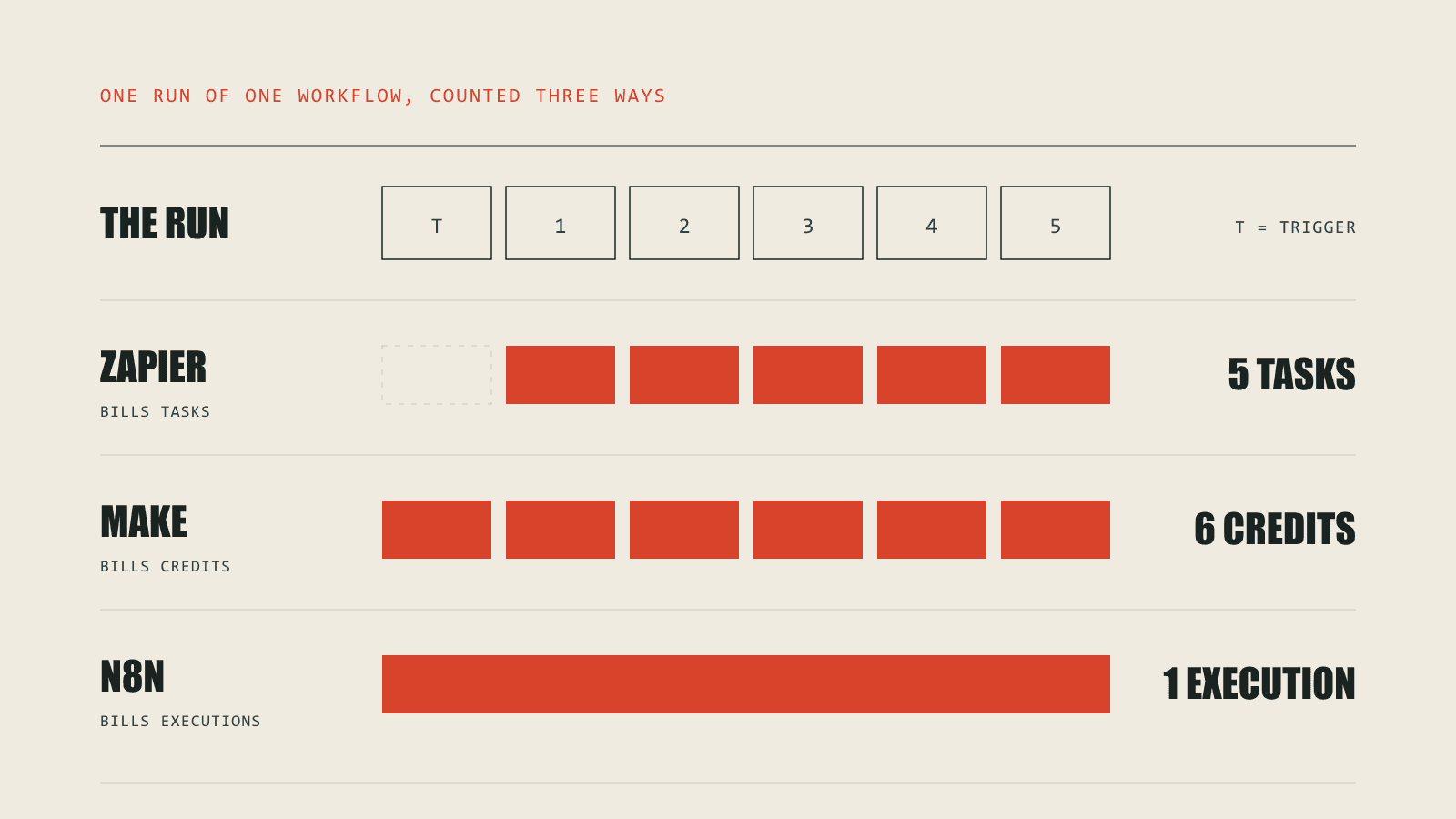
- Zapier bills tasks. Every action step that completes is one task. The trigger that starts the Zap is free, and so are built-in steps such as Filter, Formatter, Paths and Delay.
- Make bills credits. Every module that runs uses a credit, and the trigger is a module. Make called these operations until it moved to credits. A trigger that checks on a schedule uses a credit on every check, whether or not it finds anything.
- n8n bills executions. One run of a whole workflow is one execution, however many steps it has. Self-hosted n8n does not count at all.
Take one workflow that runs 1,000 times a month with 5 action steps. Zapier counts 5,000 tasks, Make counts 6,000 credits and n8n counts 1,000 executions. Same work, three different numbers.
The same workflow on each platform
These are monthly costs on the cheapest single-user plan that covers each workflow, billed monthly, at US list prices. n8n prices in euros and is converted at 1.16 dollars to the euro.
| Workflow | Zapier | Make | n8n Cloud |
|---|---|---|---|
| Small: 500 runs × 3 steps | $59 (Professional) | $16 (Core) | $28 (Starter) |
| Typical: 2,000 runs × 5 steps | $194 (Professional) | $28 (Core) | $28 (Starter) |
| Long: 2,000 runs × 15 steps | $434 (Professional) | $51 (Core) | $28 (Starter) |
The pattern holds across most workloads. Zapier's bill grows with every step added, because each one is another task. Make grows the same way but from a much lower price per unit. n8n Cloud stays flat until the number of runs, not steps, outgrows the plan. Self-hosted n8n costs whatever the server costs, which for a small workload is around $20 a month.
The scheduled trigger that costs more than the work
Make's pricing has one trap that the other two do not. A trigger that polls an app on a schedule uses a credit on every check, even when it finds nothing new.
A workflow that runs 300 times a month with 3 steps uses 1,200 credits with an instant trigger, and costs $16 (Core). Set the same workflow to check every minute and it uses 44,100 credits, which costs $97 (Core). Almost all of the difference is checks that found nothing to do.
Use a webhook or instant trigger where the app supports one. Where it does not, check as often as the work actually needs: every fifteen minutes is often enough, and it uses a fifteenth of the credits.
When Zapier is the right choice
Zapier is the most expensive per unit, and still the right answer for a lot of businesses. It connects to more apps than either alternative, its editor is the easiest for people who do not build automations for a living, and its free built-in steps soften the per-task price for workflows that do a lot of formatting and filtering. For a handful of short workflows, the convenience costs very little.
When Make is the right choice
Make suits workflows with several steps, branches and data handling, built by someone comfortable with a visual editor. It is usually much cheaper than Zapier at the same volume, as long as triggers are instant or check at a sensible interval.
When n8n is the right choice
n8n is the cheapest option for long workflows, because steps are free. It handles code, AI agents and complex logic well, and self-hosting it removes the plan price and keeps the data on your own server. The cost moves from the invoice to the team: self-hosted n8n needs someone to install it, update it, back it up and fix it when it stops.
What none of the pricing pages include
- AI steps, which are often billed separately or at a higher rate.
- Loops and iterators, which multiply the billed steps by the number of items processed.
- Overage charges and extra credits bought mid-month.
- Premium apps and Enterprise features.
- The time to build each workflow, and to fix it when an app changes its API.
Choosing a platform
- Count runs and steps, not plans. Work out how often each workflow runs and how many steps it has, then convert that into each platform's unit.
- Check the trigger. A polling trigger on Make can cost more than the work it starts.
- Price the people, not only the plan. The cheapest platform on paper is not the cheapest if nobody on the team can maintain it.
- Revisit it as volume grows. The platform that was cheapest at a few hundred runs is often not the one that is cheapest at fifty thousand.
The automation cost calculator does the conversion for your numbers and shows its working for each platform.
The cost that is not on the invoice
For most businesses the platform bill is the smaller cost. The larger one is a workflow that fails silently: the order that never reached the warehouse, the lead that never reached the CRM, the sync nobody noticed had stopped.
That is where we work. We build automations on Zapier, Make and n8n, choose the platform that fits the workflow, and design what happens when an app is down or a record is missing. If the automation has to connect systems that were never meant to work together, that is our integrations work.